Turning marketing performance into competitive intelligence

Impact
The Industry Benchmarks initiative introduced a net-new analytical capability within Mailchimp enabling customers to contextualize their performance against industry standards rather than isolated metrics.
The work shifted reporting from descriptive to comparative, giving marketers clarity on where they stand, what “good” looks like, and where opportunity exists.
Problem Statement
Key challenges included:
⚡︎ Metrics presented in isolation, without industry comparison
⚡︎ No clear signal for whether results were strong, average, or underperforming
⚡︎ Competitive pressure from platforms like Klaviyo already offering benchmark-driven insights
⚡︎ Missed opportunity to transform analytics into strategic guidance
⚡︎ Metrics presented in isolation, without industry comparison
⚡︎ No clear signal for whether results were strong, average, or underperforming
⚡︎ Competitive pressure from platforms like Klaviyo already offering benchmark-driven insights
⚡︎ Missed opportunity to transform analytics into strategic guidance
In short, the data existed but the insights did not.
The Solution
⚡︎ Conducted industry and competitor benchmark discovery to identify meaningful comparison models
⚡︎ Defined a net-new benchmarking feature aligned with customer mental models
⚡︎ Designed comparative visualizations that balance clarity, confidence, and restraint
⚡︎ Integrated benchmarks directly into existing reporting surfaces to reduce cognitive friction
⚡︎ Defined a net-new benchmarking feature aligned with customer mental models
⚡︎ Designed comparative visualizations that balance clarity, confidence, and restraint
⚡︎ Integrated benchmarks directly into existing reporting surfaces to reduce cognitive friction
The result was not “more data” but relative understanding.
This work positioned Mailchimp analytics as a decision-support system.
Research & Discovery
⚡︎ Discovery focused on understanding:
⚡︎ Industry norms across campaign types, audience sizes, and engagement rates
⚡︎ How competitors framed benchmarks without overwhelming users
⚡︎ Where customers expected guidance versus raw information
⚡︎ Industry norms across campaign types, audience sizes, and engagement rates
⚡︎ How competitors framed benchmarks without overwhelming users
⚡︎ Where customers expected guidance versus raw information
This research shaped both what was shown and how much was shown, ensuring benchmarks informed decisions rather than intimidating users.
Design Approach & System Thinking
Benchmarks were treated as a system, not a feature:
⚡︎ Scalable across industries and campaign types
⚡︎ Consistent visual language across dashboards
⚡︎ Designed to evolve as Mailchimp’s analytics matured
⚡︎ Scalable across industries and campaign types
⚡︎ Consistent visual language across dashboards
⚡︎ Designed to evolve as Mailchimp’s analytics matured
Comparative indicators were intentionally restrained, clear enough to guide, subtle enough to avoid prescriptive judgment.

Interface & Reporting Design
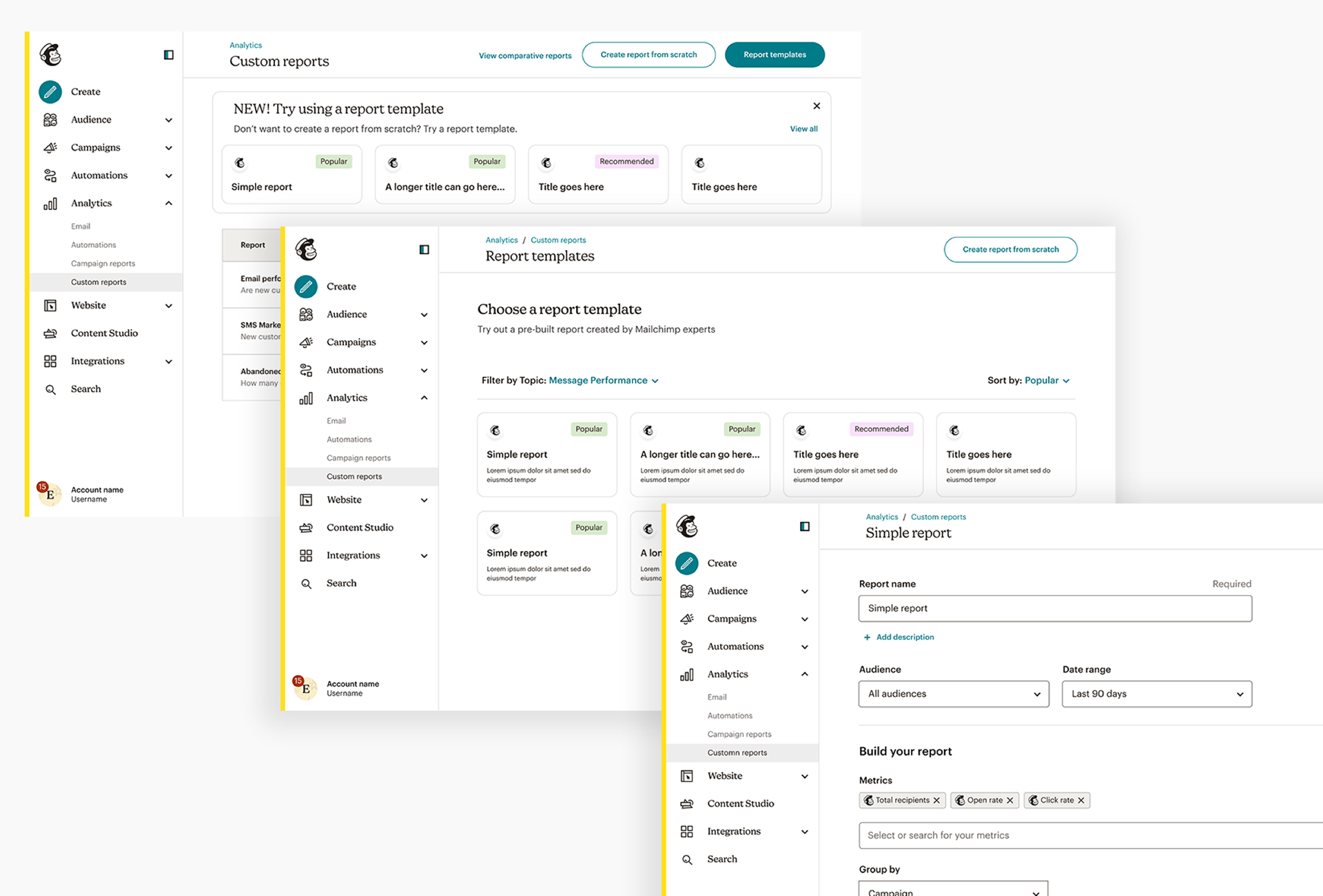
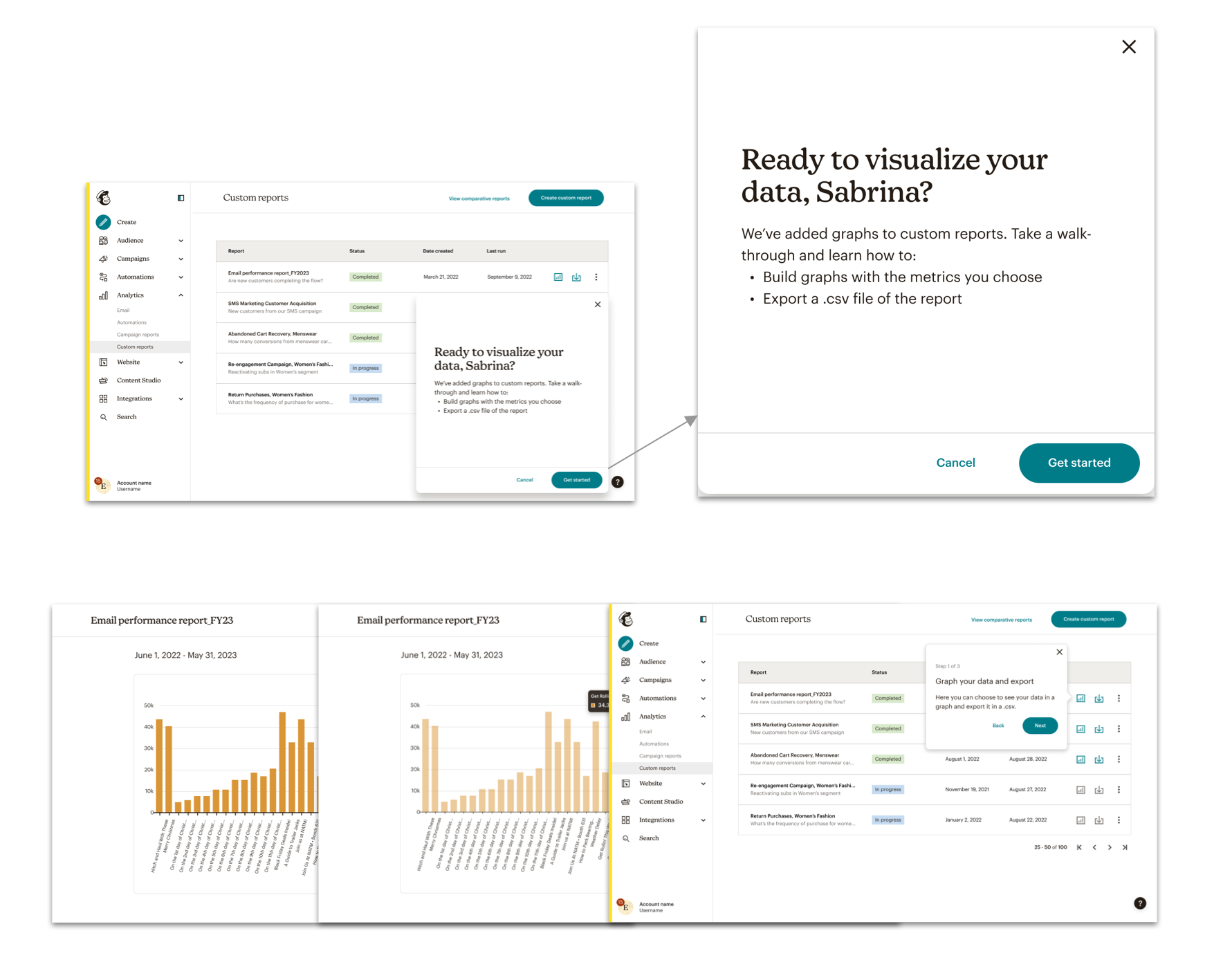
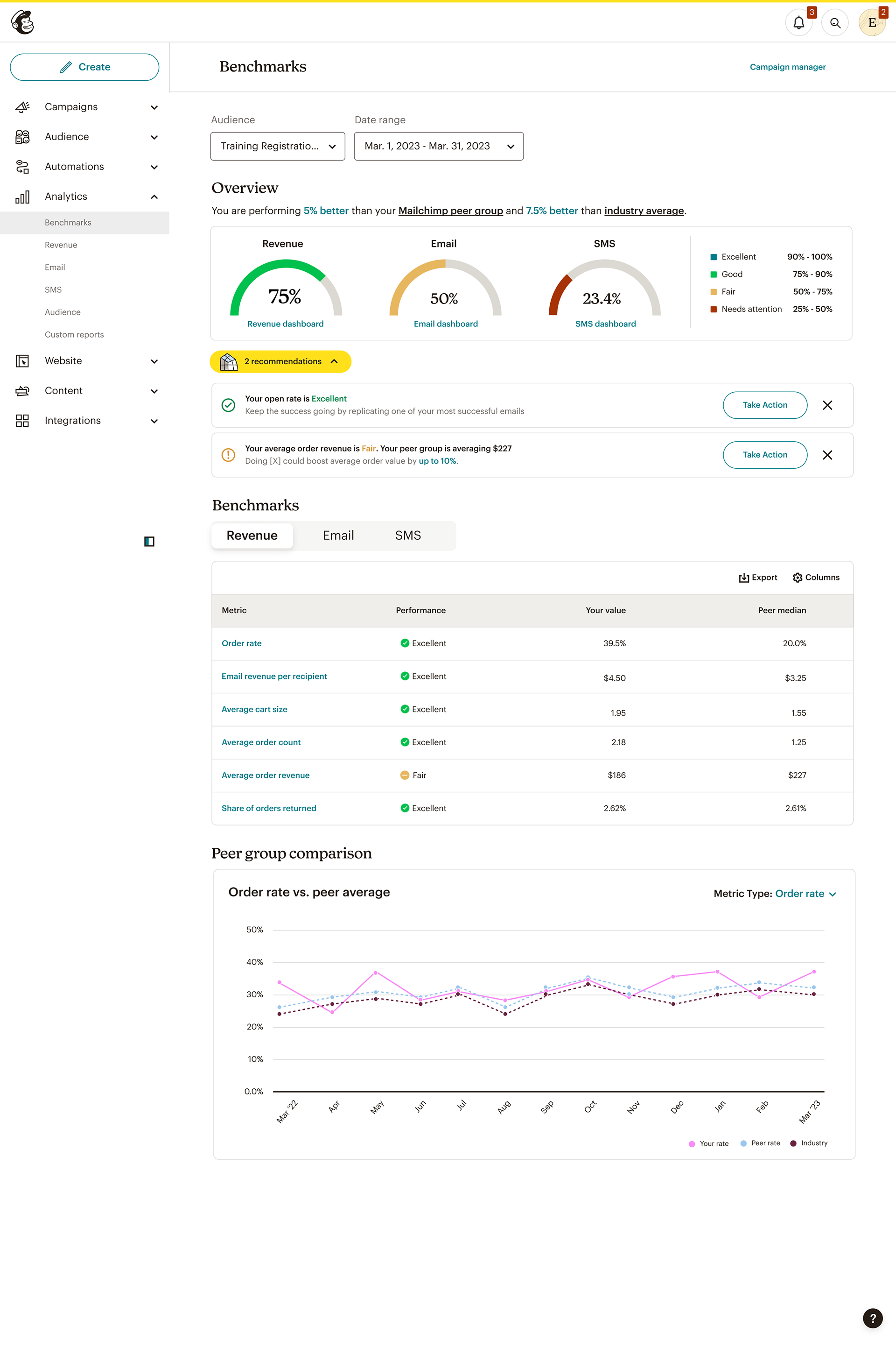
⚡︎ Benchmarks integrated directly into dashboards for immediate comprehension
⚡︎ Clear visual cues indicating above, within, or below industry norms
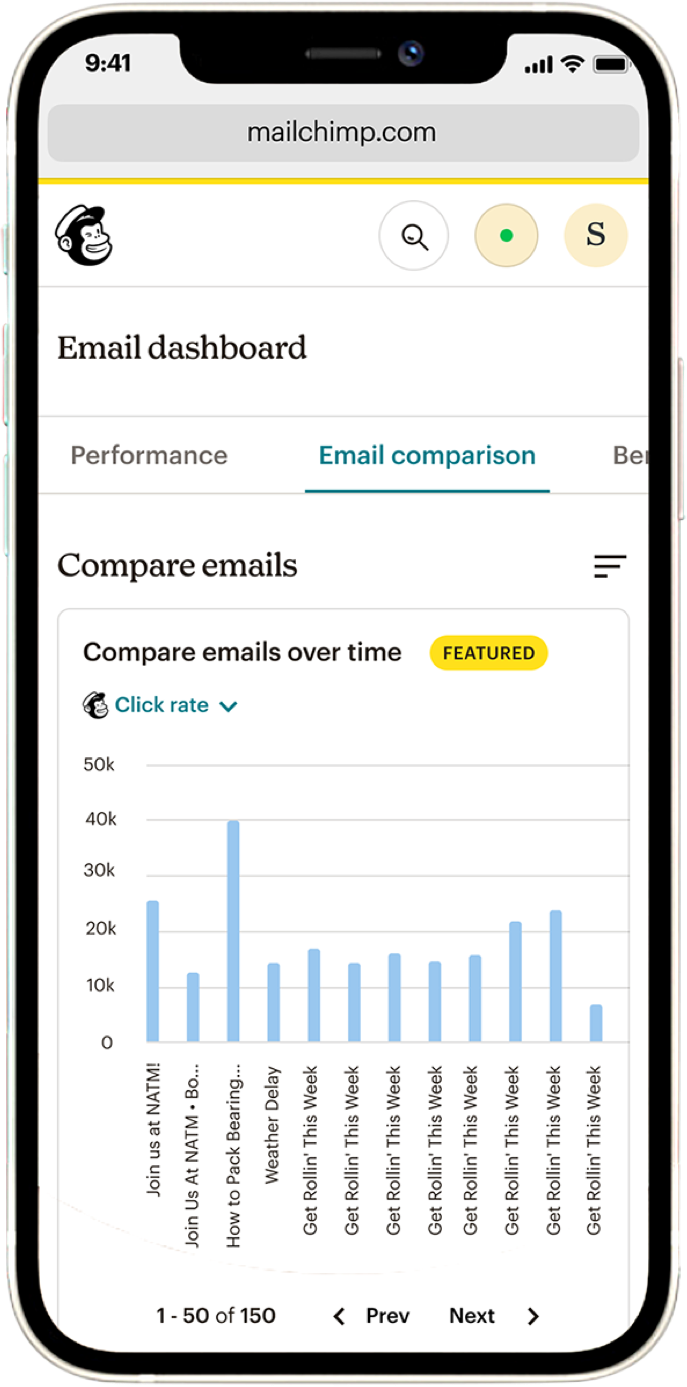
⚡︎ Charts designed to support trend recognition over time, not snapshot obsession
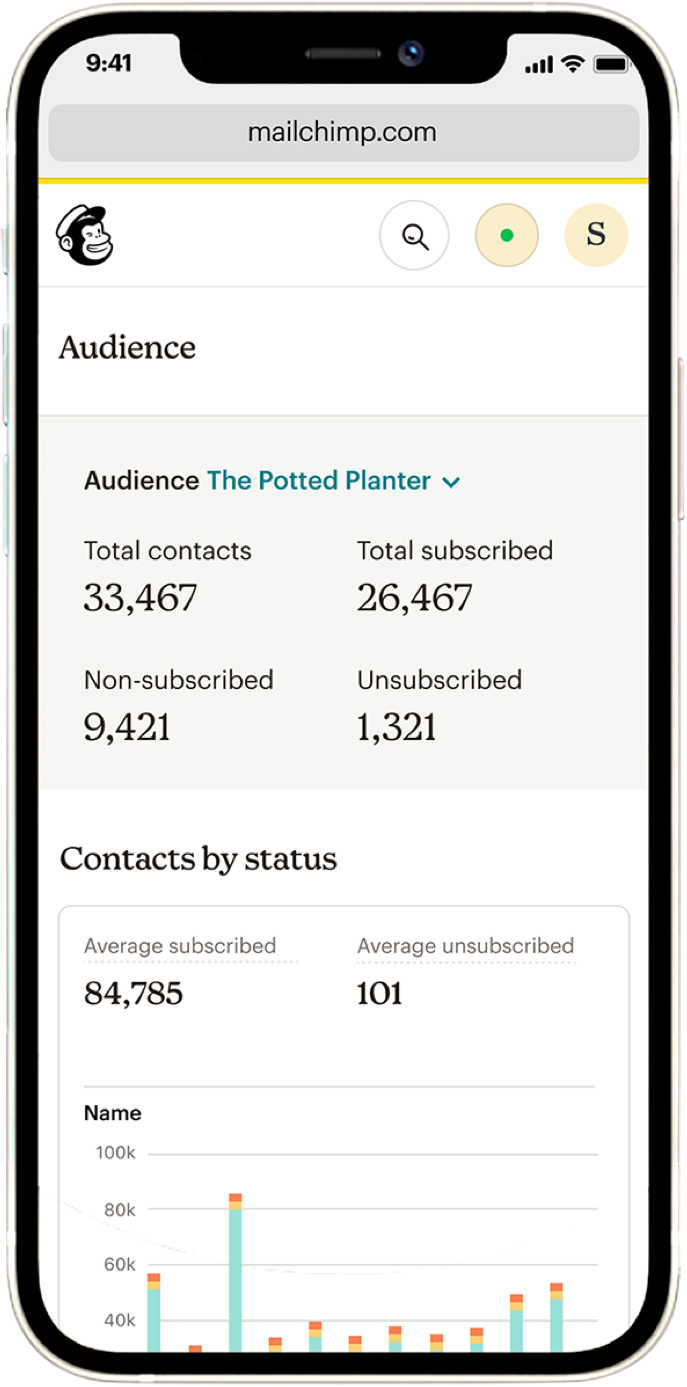
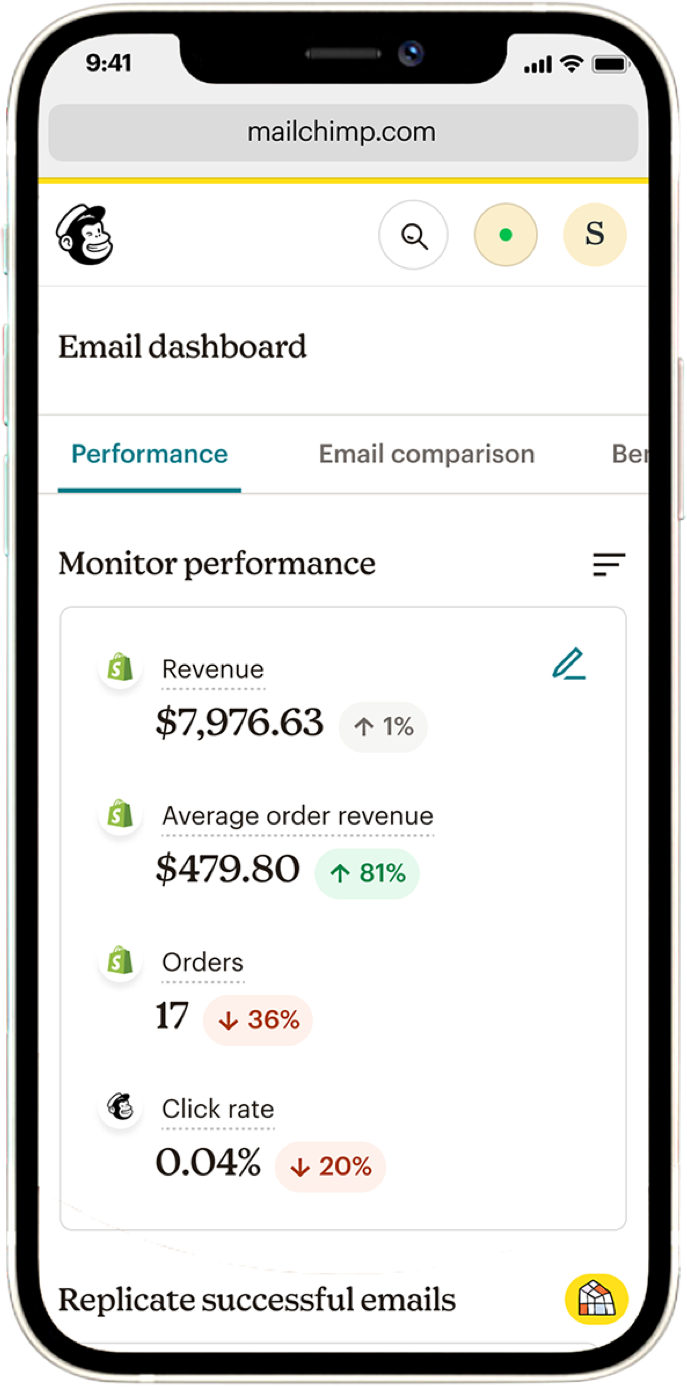
⚡︎ Responsive layouts ensuring analytical clarity across desktop and mobile
⚡︎ Clear visual cues indicating above, within, or below industry norms
⚡︎ Charts designed to support trend recognition over time, not snapshot obsession
⚡︎ Responsive layouts ensuring analytical clarity across desktop and mobile
Performance data stopped feeling abstract, and started feeling navigable.
Responsive & Cross-Device Experience
Benchmark insights were designed to travel:
⚡︎ Desktop dashboards for deep analysis
⚡︎ Mobile views for quick performance checks
⚡︎ Consistent hierarchy and labeling across devices
⚡︎ Desktop dashboards for deep analysis
⚡︎ Mobile views for quick performance checks
⚡︎ Consistent hierarchy and labeling across devices
Insight followed the user.
Strategic Value & Business Impact
⚡︎ Strengthened Mailchimp’s competitive positioning against Klaviyo
⚡︎ Expanded the platform’s value from execution to strategic insight
⚡︎ Enabled customers to assess performance with confidence rather than guesswork
⚡︎ Positioned Mailchimp analytics as a decision-support system, not a reporting tool
⚡︎ Expanded the platform’s value from execution to strategic insight
⚡︎ Enabled customers to assess performance with confidence rather than guesswork
⚡︎ Positioned Mailchimp analytics as a decision-support system, not a reporting tool
This work reframed analytics as a conversation with the market.